

Subscription fees for office software add up quickly when every team member requires a standalone license. Millions of individuals and companies pay monthly fees for tools that offer far more features than they ever touch in daily practice. Recent testing shows that several competing platforms match Microsoft 365 in core word processing, spreadsheet calculations, and presentation design without forcing users into expensive recurring commitments. A comprehensive evaluation by TechRadar Review confirms that programs such as LibreOffice, FreeOffice, WPS Office, Polaris Office, ONLYOFFICE, Google Workspace, WordPerfect, and Zoho Workplace provide dependable choices for everyday productivity.
Selecting the right alternative depends on your operating system, whether you require constant internet access, and how strictly your documents must match native Microsoft formats. Many workers migrate away from proprietary desktop apps to save money, improve team communication, or simplify software maintenance across different hardware environments. The following analysis examines the leading alternatives to help you choose the best office suite for your specific workload.
Google Workspace: The Best Cloud-Based Microsoft Office Alternative for Real-Time Collaboration

Google Workspace represents the gold standard for browser-based document generation and concurrent multi-user editing. Built around Google Docs, Sheets, and Slides, the suite runs entirely inside web browsers while syncing content directly to cloud storage. Teams that produce shared reports, marketing drafts, and live project trackers benefit immediately from its clean interface and automated version control.
Cloud Collaboration and Shared Workflows
Real-time collaboration in Google Docs eliminates the version confusion caused by emailing document attachments back and forth. Multiple writers can edit a single file at the same time, leave threaded comments, assign action items, and review revision histories that track changes by specific contributors. For organizations that rely on distributed teams, the ability to co-author a text document or financial forecast without file locking prevents administrative bottlenecks.
Storage, Add-ons, and Export Limits
Google accounts include fifteen gigabytes of shared cloud storage across Docs, Drive, and Gmail. Users can extend functionality with third-party extensions, linking external tools such as citation managers, digital signature services, or the best API to search a company homepage directly into their spreadsheets. Offline editing modes are available through browser configurations, though complex formatting created in desktop Word documents can sometimes shift when imported into Docs.
| Feature | Google Workspace | Microsoft 365 |
|---|---|---|
| Primary Environment | Web browser | Desktop and web |
| Real-Time Editing | Fast, native multi-user sync | Available via OneDrive sync |
| Base Cloud Storage | 15 GB free tier | 5 GB free tier |
| Offline Accessibility | Requires browser setup | Full local installation |
LibreOffice: The Best Free, Open-Source Microsoft Office Replacement for Desktop Users

LibreOffice provides a fully free, offline, open-source office suite operated under an optional donation model with zero licensing or subscription fees. As detailed in the Lark Office Alternatives Guide, the suite includes Writer for word processing, Calc for spreadsheets, and Impress for presentations, alongside specialized tools like Draw, Math, and Base. Because the software runs locally on your machine, it appeals directly to privacy-minded professionals and businesses operating under strict data governance rules.
Offline Reliability and Open Document Standards
Unlike cloud services that require active network connections, LibreOffice functions entirely on your local drive. It uses the OpenDocument Format (ODF) as its default file structure, ensuring long-term data preservation without vendor lock-in. Legal teams, researchers, and government agencies favor this setup because document contents never leave local machines or traverse third-party servers.
Interface Modernization and File Compatibility
The standard user interface resembles classic desktop software, using drop-down menus and functional toolbars rather than complex modern ribbons. Users can modify the layout to mimic tabbed interfaces if they prefer modern styling. While LibreOffice reads and writes modern Microsoft formats like DOCX, XLSX, and PPTX, advanced documents containing complex nested tables or proprietary font layouts may require manual spacing adjustments.
| Component | LibreOffice Application | Microsoft Equivalent |
|---|---|---|
| Word Processor | Writer | Microsoft Word |
| Spreadsheet Program | Calc | Microsoft Excel |
| Presentation Builder | Impress | Microsoft PowerPoint |
| Database Engine | Base | Microsoft Access |
| Vector Graphics Editor | Draw | Microsoft Visio |
WPS Office: The Best Alternative for Microsoft Office Interface Familiarity and File Compatibility

WPS Office delivers an interface that closely mirrors modern versions of Microsoft Word, Excel, and PowerPoint. Developed by Kingsoft, this productivity package features a tabbed window system that lets users open documents, balance sheets, and slide decks within a single desktop window. It offers a free tier supported by occasional advertisements alongside a paid tier that removes promotions and adds expanded cloud storage.
Tabbed Window Layout and File Fidelity
The tabbed document interface inside WPS Office functions like an internet browser, allowing users to switch between multiple active files without cluttering their desktop taskbar. The application displays high fidelity when opening DOCX, XLSX, and PPTX files, making it an excellent choice for workers who regularly receive complex templates from clients using Microsoft products. Margins, headers, footers, and cell equations translate reliably between the two platforms.
Built-In PDF Utilities and Mobile Parity
Beyond basic office tasks, WPS Office integrates robust PDF reading, conversion, and editing tools directly into its primary interface. Users can convert text documents into read-only PDF sheets or extract text from existing PDFs without third-party utility software. The mobile versions for Android and iOS deliver deep feature parity, letting professionals review budgets and adjust slide elements directly from smartphones and tablets.
| Aspect | WPS Office Free | WPS Office Pro |
|---|---|---|
| Interface Ads | Displayed during specific tasks | Completely removed |
| PDF Editing | Basic viewing and light markup | Full text and page editing |
| Cloud Storage Space | 1 GB complimentary storage | Expanded team cloud storage |
| Cross-Device Sync | Up to 3 devices | Up to 9 devices |
Apple iWork (Pages, Numbers, Keynote): The Best Native Productivity Suite for Mac and iOS Users

Apple iWork comes pre-installed on modern Mac computers and remains free to download for all iOS and iPadOS device owners. Comprising Pages, Numbers, and Keynote, this suite provides polished visual tools designed to take advantage of Apple hardware architectures. For designers, educators, and creative professionals who already use Mac computers, iWork serves as a capable alternative to traditional office suites.
Visual Design and Layout Strengths
Pages approaches word processing from a graphic design perspective, functioning almost like a desktop publishing application. Users can drag text boxes, shapes, and media assets freely across blank pages without breaking document margins. In a similar way, Keynote offers refined transition effects, cinematic text animations, and typography controls that consistently outshine standard presentation tools, making it a favorite for stage presentations and client pitches.
Apple Hardware Integration and Cross-Platform Limits
Because Apple designs both the hardware and software, iWork applications open quickly, use minimal battery power, and integrate with system trackpads and Apple Pencil inputs. Users can start a memo on an iPhone, adjust its data tables on an iPad, and finalize its graphic elements on a Mac via iCloud sync. The primary disadvantage appears when collaborating with Windows users, who must use the browser-based iCloud interface to access or modify iWork documents.
| Tool | Focus Area | Standout Capability |
|---|---|---|
| Pages | Word processing and desktop publishing | Free-form graphic placement |
| Numbers | Spreadsheets and visual dashboards | Multiple independent tables on one canvas |
| Keynote | Slide creation and pitch decks | High-quality visual transitions and typography |
Key Factors to Consider When Choosing the Right Office Suite for Your Workflow and Budget
Selecting an office suite requires balancing daily work requirements, file sharing habits, hardware options, and long-term operating costs. While Microsoft remains an industry standard, paying for unused enterprise features rarely makes financial sense for small teams or independent operators. Evaluating specific functional requirements prevents software conflicts and avoids workflow interruptions.
File Format Compatibility and Formatting Stability
The most critical technical hurdle when leaving Microsoft 365 involves document format integrity. Microsoft uses open XML formats (DOCX, XLSX, PPTX) that contain proprietary extension tags. When an alternative software program parses these tags, slight rendering differences can occur. If your job involves sharing contracts, financial audits, or client deliverables where misaligned text or altered table borders cause problems, select suites that specialize in high format fidelity, such as WPS Office or ONLYOFFICE.
Real-Time Collaboration Versus Local Data Privacy
Teams must decide whether they prioritize instant cloud collaboration or absolute local data ownership. Cloud platforms like Google Workspace streamline project management by maintaining a single master document online, but they require reliable internet connections and third-party cloud hosting. Desktop suites like LibreOffice store all data on local drives, keeping proprietary balance sheets and private client records completely under your control.
Operating Systems and Hardware Resources
Your hardware environment dictates which software options run smoothly. Creative teams using macOS often find Apple iWork suitable for daily needs, while mixed environments featuring Windows and Linux machines perform better with cross-platform desktop suites like LibreOffice. Developers editing configuration files on Mac systems often pair office tools with the best code editor for mac in 2026: 7 tools compared to manage their broader digital workflow.
Total Cost of Ownership
Pricing models vary widely across office software alternatives:
- Fully Free and Open Source: LibreOffice requires no software purchases, licensing audits, or renewal fees, relying solely on optional user contributions.
- Freemium Desktop Suites: WPS Office and Polaris Office offer free tiers funded by non-intrusive ads, with paid subscriptions to access advanced features.
- Cloud Ecosystems: Google Workspace provides free individual tiers with generous storage, alongside paid plans that include business email domains and administrative controls.
- Hardware-Bundled Applications: Apple iWork requires no ongoing subscription costs, provided you use supported Apple hardware.
| Consideration | Local Suites (e.g., LibreOffice) | Cloud Suites (e.g., Google Workspace) |
|---|---|---|
| Internet Dependency | Works completely offline | Requires connection for full feature set |
| Data Governance | Local disk storage only | Stored on third-party remote servers |
| Subscription Costs | Free forever | Tiered monthly business pricing |
| Hardware Demands | Uses system RAM and CPU | Runs lightweight inside web browsers |
Practical Tips for Migrating Away from Microsoft Office
Migrating your personal or business files to a new productivity suite requires preparation to avoid data loss and formatting errors. Taking a measured approach makes the transition smoother for all team members involved.
First, audit your existing documents to locate complex spreadsheets that use Microsoft Excel macros (VBA). Most alternative spreadsheet programs, including Google Sheets and LibreOffice Calc, use different scripting languages or handle Excel macros with limited compatibility. Rebuilding critical calculation sheets or testing them thoroughly in the new environment prevents broken equations.
Second, standardize your typography by installing universal system fonts across all workstations. Documents often shift layout and expand across extra pages simply because the target computer lacks proprietary fonts like Calibri or Aptos. Using open-source typefaces such as Roboto, Lato, or Liberation Sans ensures consistent visual rendering across Windows, macOS, and Linux installations.
Third, maintain clean file conversion habits. When exporting finished documents to external clients who do not need to make edits, always save the final draft as a PDF. Using standard PDF outputs preserves line wraps, signature blocks, and image placements regardless of what software the recipient uses to open the document. Creative teams managing image-heavy documents can also prepare assets with the best photo editing software in 2026: top tools compared before inserting them into their text layouts, ensuring crisp resolutions and stable file sizes.
Common Mistakes When Replacing Microsoft Office

A frequent error during software migrations is replacing desktop software with a cloud alternative without checking team internet reliability. If your workplace experiences regular network outages, a cloud-only setup halts document creation unless every user configures offline browser modes ahead of time.
Another common mistake is failing to train staff on interface differences. While many tools mimic the Microsoft ribbon layout, keyboard shortcuts, menu positions, and formula syntaxes can vary. For example, specific formula names in Google Sheets differ slightly from legacy Excel formulas. Providing quick reference cheat sheets helps team members adjust without losing productivity.
Finally, avoid converting your entire historical document archive at once. Batch-converting thousands of legacy DOC files into newer formats often introduces subtle formatting errors into older records. Keep your historical files in their original formats and convert individual documents only when they require active editing or updating.
Key Takeaways
Selecting an alternative to Microsoft Office allows individuals and organizations to reduce software expenses while matching specific technical and workflow demands:
- Google Workspace delivers the most reliable browser-based collaboration for teams that co-author documents, track project tasks, and share cloud assets.
- LibreOffice provides a free, open-source desktop solution that stores files locally, safeguarding user privacy and eliminating subscription fees.
- WPS Office offers high visual compatibility with Microsoft formats and includes practical integrated PDF editing tools.
- Apple iWork gives Mac and iOS users an intuitive, visually polished productivity suite at no extra cost.
- Successful migration depends on checking macro compatibility, using universal fonts, and exporting final client deliverables as standard PDFs.
Conclusion
Microsoft 365 remains a capable productivity platform, but it is no longer the only viable option for personal and professional document creation. Free and open-source applications like LibreOffice offer desktop reliability without software fees, while cloud platforms like Google Workspace modernize real-time team collaboration. By reviewing your team’s file sharing frequency, data privacy rules, and budget limits, you can implement an office alternative that supports productive daily work without unnecessary overhead.
Frequently Asked Questions

Can LibreOffice open and edit files created in Microsoft Word?
Yes, LibreOffice Writer natively opens, edits, and saves documents in Microsoft formats, including DOC and DOCX files. Complex layouts with nested tables or specialized fonts may require minor manual adjustments after opening.
Is Google Docs completely free to use for personal tasks?
Yes, anyone with a personal Google account can access Google Docs, Sheets, and Slides at no charge. The free service includes fifteen gigabytes of shared storage space across Google Drive, Gmail, and Google Photos.
Does WPS Office work on Apple Mac computers?
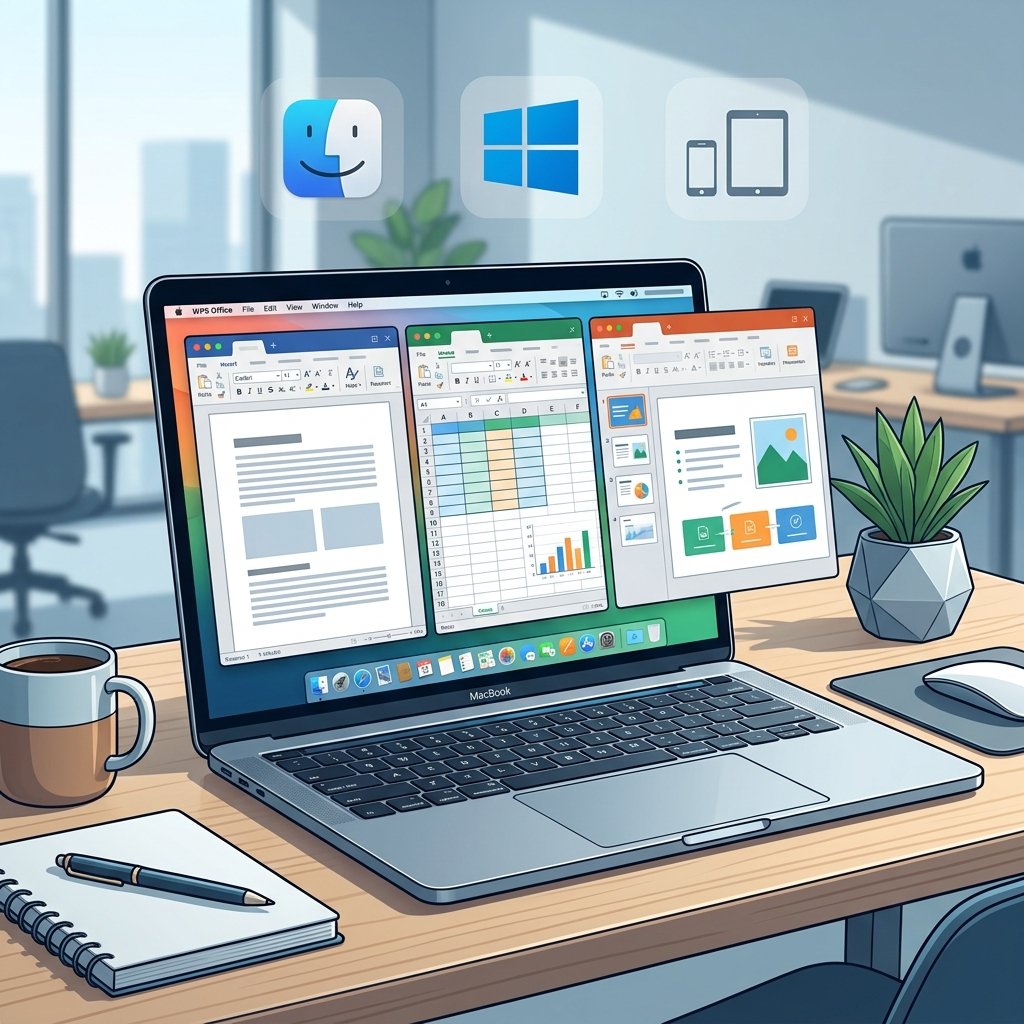
Yes, Kingsoft provides native WPS Office desktop applications for macOS alongside versions for Windows, Linux, Android, and iOS devices. The software maintains a consistent interface and file support across all these operating systems.
Can alternative spreadsheet tools run Microsoft Excel VBA macros?
Most alternatives offer limited support for native Excel VBA macros. LibreOffice Calc can interpret simple macros, but complex automated scripts usually require manual rewriting using the alternative platform’s supported scripting language.
Which office alternative offers the best document privacy?
LibreOffice provides strong data privacy because it runs locally on your computer without transmitting file contents over the internet. Your documents remain stored entirely on your local drive or private corporate network.
Can Apple Pages export documents to Microsoft Word formats?
Yes, Apple Pages can export documents directly into DOCX format. While the export process works smoothly, complex graphic layouts created with Apple design tools may display slight visual differences when opened inside Microsoft Word.