
Over 80 percent of computer users capture thoughts digitally, yet finding the right tool remains difficult. A single note system rarely satisfies every personal need, from typing meeting minutes to sketching visual diagrams. When your software matches your cognitive habits, retrieving stored knowledge becomes second nature instead of an uphill battle.
The modern software landscape presents distinct philosophies of information management. Some platforms use free-form digital whiteboards, while others prioritize strict relational databases or plain-text files that run offline. Choosing the right program saves hours of organizational maintenance each week. Whether you want to draft research papers, build personal wikis, or retain lecture points, understanding how different tools handle storage, formatting, and file retrieval helps you construct an effective knowledge base.
Key Features to Look for in a Modern Note Taking App

Selecting a program begins with assessing how information gets captured, processed, and stored. Many individuals switch tools constantly because their initial choice creates artificial friction during daily capture tasks. Evaluating the underlying architecture prevents the frustration of migrating thousands of files later.
Storage Formats and Local Data Ownership
A critical factor is whether an application stores your files in a proprietary cloud database or as accessible local files. Applications built around plain-text files grant complete control over your records, ensuring access remains intact even if a vendor changes pricing models or ceases development. In contrast, closed formats can lock your data into a single vendor ecosystem, making future bulk exports tedious. If you regularly draft technical summaries alongside software development, pairing an open-format note system with the best code editor for mac can create a unified text editing environment across your projects.
Search Capabilities and Media Capture
Fast search separates helpful reference tools from digital clutter. Top programs index text inside uploaded PDF attachments, hand-drawn diagrams, and images. According to documentation on Microsoft OneNote, optical character recognition engines allow users to search handwritten annotations and embedded pictures alongside typed words. If an app cannot parse text within images, valuable meeting snapshots and whiteboard sketches become impossible to locate during future reviews.
The Best Note Taking Apps Compared: Top Picks for Every Use Case

Every software choice comes with tradeoffs between feature flexibility, device portability, and interface complexity. The ideal platform depends on how structured you prefer your notes to be.
| Software | Core Architecture | Offline Functionality | Best Use Case | Cost Model |
|---|---|---|---|---|
| Obsidian | Local Markdown files | Full offline access | Personal knowledge management | Free for personal use; paid add-ons |
| Microsoft OneNote | Free-form canvas | Complete cross-platform sync | Mixed handwriting and typed notes | Free with Microsoft account |
| Notion | Block-based databases | Limited offline access | Team docs and project trackers | Free personal tier; paid team plans |
| Joplin | Open-source Markdown | Full offline access | Encrypted notes across multiple devices | Free open-source; optional cloud host |
| Evernote | Rich-text cloud notebook | Sync across paid devices | Web clipping and receipt storage | Strict free cap; paid subscriptions |
Local-First Networked Systems
For people who prefer building interconnected webs of thought, Obsidian is a standout option. It operates directly on a folder of standard Markdown files stored on your hard drive, which removes cloud security worries. The software provides an interactive visual graph view that reveals links between ideas across your vault. Because your data remains local, you never risk losing access to your writing if an internet outage occurs while you work away from home.
Modular Relational Workspaces
Users who prefer structured records often gravitate toward block-based systems. As detailed on Notion, this category treats every paragraph, image, bullet, and checklist as an independent block that users can drag across columns and relational tables. This architecture bridges the gap between daily journals, shared wikis, and task management systems. However, its web-first design means working offline remains clunkier compared to native desktop applications.
Best Note Taking Apps for Students and Academic Research


Academic note-taking requires balancing rapid recording during lectures with long-term retention during study sessions. When managing heavy course loads alongside personal schedules, students often combine study tools with the best travel apps to download to stay organized on campus trips and weekend travel.
Pen Input and Canvas Flexibility
Research by cognitive psychologists Pam A. Mueller and Daniel M. Oppenheimer on note-taking modalities shows that handwriting notes encourages mental synthesis, whereas typing often leads to mindless verbatim transcription. For stylus users, Microsoft OneNote provides an unstructured canvas where you can write equations, sketch anatomical systems, and drop audio clips directly beside typed text. Its three-tier structure of notebooks, sections, and pages mirrors physical ring binders, helping students maintain order across distinct academic semesters.
Citation Storage and Open-Source Alternatives
For students requiring strict privacy and easy cross-platform sync without commercial tracking, Joplin provides an open-source Markdown platform with end-to-end encryption. Students can synchronize lecture records through cloud services like Nextcloud or personal WebDAV setups. This setup keeps research drafts private, portable, and easily exportable into formatting systems used for thesis development.
Top Note Taking Tools for Workplace Collaboration and Project Management
Corporate environments require systems where multiple team members can view project specifications, share meeting summaries, and track deliverables simultaneously. Individual notebooks can create knowledge silos, making team-wide software choices essential.
Real-Time Co-Editing and Documentation
Modern business workflows require simultaneous multi-user editing. Notion excels here by combining documentation with kanban boards, database filters, and task lists. Project leaders can convert a quick bulleted brainstorming session directly into an actionable task board without copying content across apps. If your group prepares written marketing reports, incorporating the best ai humanizer can refine draft copy before inserting it into your shared knowledge repository.
Managing Storage Caps and Legacy Enterprise Systems
For years, corporate users relied heavily on cloud services like Evernote for document archiving and web clipping. However, strict restrictions on its free plan—limiting unpaid accounts to a single connected device and a maximum of 50 total notes—have led many organizations to migrate toward Microsoft OneNote or internal wikis. Companies already using enterprise office suites often deploy OneNote because it integrates directly with business calendars and corporate security controls at no extra cost.
How to Choose the Right Note Taking App for Your Personal Workflow
Choosing software requires evaluating your natural writing habits rather than forcing yourself into a rigid, complex setup. A practical system is one you will actually use when busy, not an elaborate framework that requires endless administrative maintenance.
Identifying Your Core Note Archetype
Knowledge workers generally fall into three working categories:
- Architects: You prefer organized hierarchies, nested folders, relational databases, and distinct tags for every project.
- Gardeners: You write loose, free-form notes and prefer connecting them over time through bi-directional links and graph visualizations.
- Librarians: You collect source materials, articles, PDF contracts, and receipts, prioritizing strong search indexing and web clipping tools.
Architects thrive inside the structured database pages of Notion. Gardeners work naturally in networked systems like Obsidian. Librarians will appreciate the optical character recognition and multi-platform capture tools found in OneNote or Joplin.
Practical Implementation Tips
- Avoid Over-Engineering: Do not spend weeks building complex organizational tags before writing notes. Start with broad topic folders.
- Standardize Naming: Use clear date formats (such as YYYY-MM-DD) in note titles to keep meeting logs chronologically sortable.
- Conduct Weekly Cleanups: Dedicate ten minutes each week to filing raw inbox thoughts into your permanent folders.
- Test Export Formats: Verify that your chosen tool exports cleanly to plain Markdown, PDF, or HTML before storing thousands of critical files.
Key Takeaways

- Storage Ownership Matters: Tools using plain-text Markdown keep your data accessible regardless of future vendor pricing changes.
- Handwriting Boosts Memory: Stylus-friendly platforms support conceptual retention better than verbatim typing during lectures and seminars.
- Search Architecture is Crucial: Optical character recognition allows you to search inside handwriting and images, saving retrieval time.
- Match the App to Your Style: Select tools that suit your mental model—whether that means free-form canvases, relational databases, or linked text vaults.
Conclusion
The best note taking app is the one that removes friction from your daily thinking process. Whether you value the local data security of Obsidian, the free-form canvas of Microsoft OneNote, or the team databases of Notion, each option serves distinct productivity goals. Instead of searching for an elusive piece of software that handles every task in existence, choose the program that supports your primary daily work style. When your digital notes mirror the way you naturally process information, your archive becomes an asset you can rely on for years to come.
What is the best free note taking app?
Microsoft OneNote is the most capable free option for general users, offering cross-platform syncing, free-form canvas editing, and optical character recognition. Obsidian is completely free for personal use when stored locally on your device.
Is Obsidian better than Notion for personal notes?
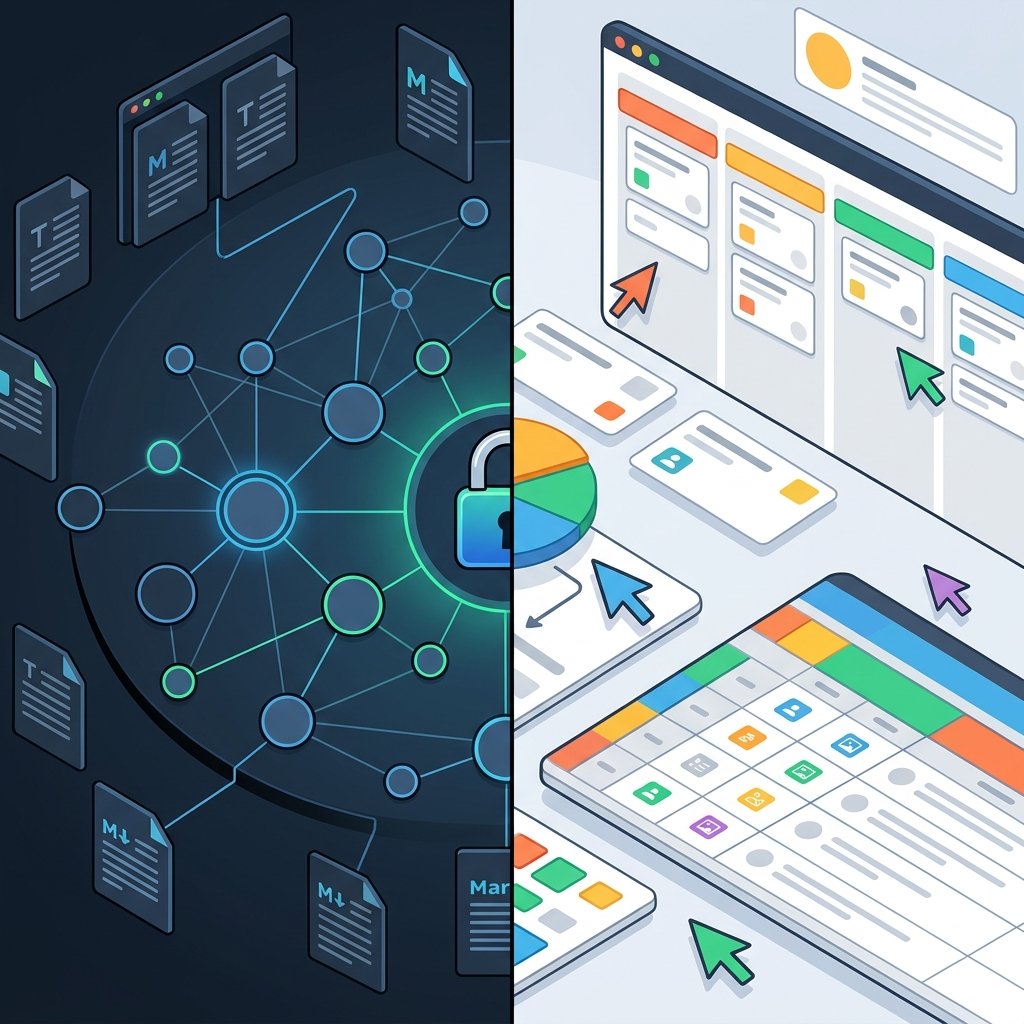
Obsidian is better if you value local data ownership, offline speed, and linked Markdown files. Notion is superior if you need relational databases, kanban boards, and real-time team collaboration.
Can OneNote search text inside images?
Yes, OneNote includes an optical character recognition engine that indexes typed text, handwritten stylus notes, and words inside uploaded images. This allows you to find information across all media types through standard search queries.
Why are people moving away from Evernote?
Recent free tier restrictions limit users to one device and a maximum of 50 total notes. Many individuals have migrated to alternatives like Joplin, Obsidian, or OneNote to avoid costly annual subscriptions.
Do I need an internet connection to use these apps?

Local-first applications like Obsidian and Joplin function completely offline without an active network connection. In contrast, cloud-focused tools like Notion require internet access for full page loading and database operations.
Does handwriting notes improve learning compared to typing?
Cognitive research shows that handwriting notes forces conceptual synthesis, which aids long-term retention. Typing on a keyboard often results in passive verbatim recording that reduces conceptual understanding.
Frequently Asked Questions
Which note taking application provides the highest level of personal privacy?
For individuals seeking complete data privacy, open-source platforms like Joplin offer end-to-end encryption across personal cloud storage setups, while local-first tools like Obsidian store your files entirely on your personal machine rather than an external corporate server.
What is the most effective method for organizing digital notes long term?
The most reliable strategy involves maintaining a simple, sustainable hierarchy rather than overcomplicating your tagging taxonomy. Utilizing an “inbox” folder for rapid capture, implementing consistent date formats for time-sensitive records, and linking related concepts through bi-directional references will prevent information overload as your knowledge base expands.
Can I migrate my notes between different applications easily?
Migration convenience depends on whether your software stores records in open or closed file standards. Systems using standard Markdown files or easy plain-text export options allow you to transfer thousands of pages into another platform within minutes, whereas proprietary formats often demand specialized converters or manual exports.
How does optical character recognition improve digital note retrieval?
Platforms like Microsoft OneNote use optical character recognition to index scanned receipts, whiteboard photos, and stylus handwriting alongside typed sentences. This makes multimedia research immediately searchable without manual tagging.
What should you do before committing to a single note system?
Test a software candidate with your everyday tasks for two weeks. Verify export features, test offline performance, and ensure the interface feels natural before migrating your complete personal archive.