

You’ve probably seen it happen. You write something with an AI tool, read it back, and the information is useful, but the wording feels a little too perfect. Every sentence flows in the same way, the introduction sounds familiar, and the whole thing lacks a personal touch.
That’s where an AI humanizer can help. It rewrites AI-assisted text to make it sound more natural, improve sentence flow, and remove repetitive wording. But not every tool does a good job, and some change the original meaning more than you might expect.
If you’re looking for the best AI humanizer, the right choice depends on what you want to improve. Some tools are useful for everyday editing, while others focus on rewriting longer drafts. In this BrandClickX guide, we’ll look at popular options, their useful features, and the things you should check before using them.
Key Takeaways
-
An AI humanizer rewrites AI-assisted text to improve its tone, flow, and readability.
-
Grammarly is useful for everyday editing and custom writing styles.
-
QuillBot is worth considering for quick paragraph rewrites and its wider writing tools.
-
Clever AI Humanizer offers a straightforward option for trying dedicated rewriting.
-
Humanizer.org provides another option for experimenting with rewriting modes.
-
No tool can guarantee that content will pass every AI detector.
-
Always check meaning, facts, privacy terms, and originality before publishing.
-
Google’s focus is helpful, reliable content rather than simply whether AI was involved.
What Is an AI Humanizer?
An AI humanizer is a writing tool that changes the wording of AI-generated or AI-assisted text. It may adjust sentence structure, replace repeated expressions, improve transitions, and make the overall tone sound less mechanical.
For example, an AI-generated sentence might say:
“Furthermore, this solution provides several benefits for businesses seeking to improve efficiency.”
A more natural version could be:
“It can also help businesses save time and get everyday work done more easily.”
Both sentences communicate a similar idea, but the second one feels more direct and conversational.
An AI text humanizer works by processing your original text and producing an alternative version. Depending on the tool, you may also get options for tone, readability, sentence variation, or custom writing styles.
However, a rewritten paragraph is not automatically better. You still need to check whether it sounds right and whether it keeps the original facts.
Best AI Humanizer Tools to Consider in 2026
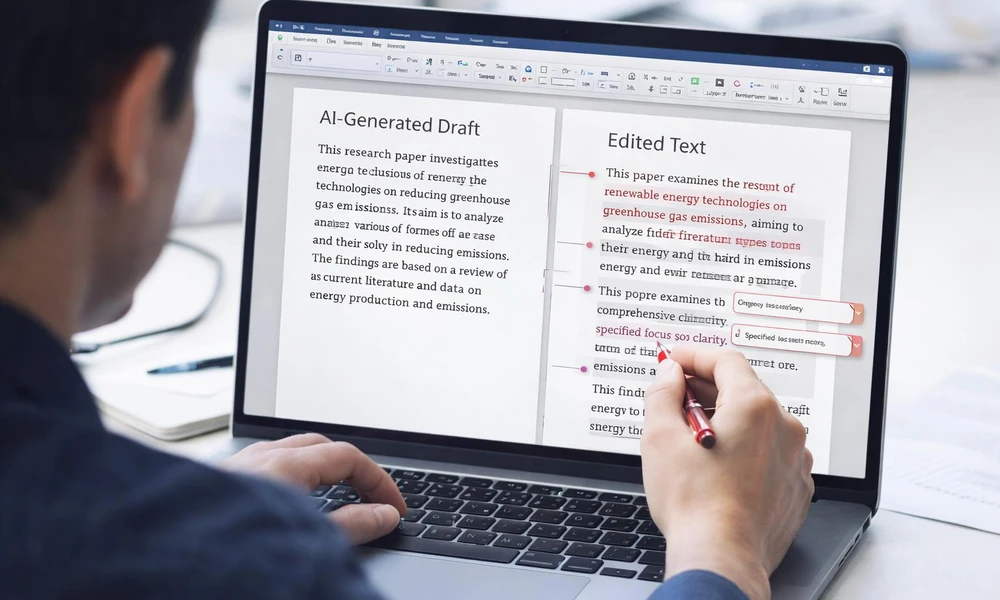
There are plenty of AI humanizer tools available, but they don’t all offer the same experience. Some are part of larger writing platforms, while others focus mainly on rewriting AI-generated content.
The tools below are worth considering for different writing needs. This is a feature-based comparison using available product documentation and published information, not a claim that every tool has passed the same independent performance test.
1. Grammarly AI Humanizer
Grammarly is already familiar to many writers because of its grammar and spelling suggestions. Its Humanizer feature takes that experience further by helping users adjust the tone and flow of AI-assisted writing.
You can use it to make a draft sound warmer, clearer, or more natural. Grammarly also supports custom voice profiles, allowing users to provide a writing sample of at least 200 words as a style reference.
This can be useful when you want your emails, proposals, or blog content to follow a more consistent voice.
What makes it useful:
-
Helps adjust tone and sentence flow.
-
Offers custom writing voice options.
-
Works alongside other Grammarly writing features.
-
Provides suggestions that you can review before using.
Grammarly is a good starting point if you want more than simple sentence rewriting. Still, remember that its AI Humanizer is designed to improve writing, not guarantee that text will avoid AI detection.
2. QuillBot AI Humanizer
QuillBot is another popular option for people who regularly edit and rewrite content. Its AI Humanizer can help change stiff wording into something that reads more smoothly.
One useful thing about QuillBot is that it sits within a wider writing platform. You can also find tools for paraphrasing, grammar checking, summarizing, and translation.
The free humanizer has a limited word allowance. QuillBot’s published page lists a limit of 125 words per input for free use, while Premium offers longer rewriting without the same word and usage limits. Check the current plan before starting a large project because product limits can change.
What makes it useful:
-
Quick rewriting for shorter passages.
-
Other editing tools available in one place.
-
Useful for improving sentence clarity.
-
Premium access supports longer drafts.
QuillBot can be helpful when a paragraph feels repetitive or difficult to read. Just compare the rewritten version with your original before publishing it.
3. Clever AI Humanizer
Clever AI Humanizer focuses on one main job: rewriting text so it sounds more natural. Its browser-based tools include an AI humanizer, AI detector, and grammar checker.
The straightforward approach makes it worth trying if you don’t want to work through a large writing platform. You can paste a draft, generate a revised version, and review the result.
However, don’t assume that a free tool has no limitations. Word allowances, usage conditions, and privacy terms can change. Read the current information on the actual website before submitting a long document or sensitive material.
What makes it useful:
-
Simple browser-based writing process.
-
Dedicated humanizing feature.
-
Includes other basic writing tools.
-
Useful for testing shorter drafts.
It’s a reasonable option for casual editing, but the quality of the final text still needs your attention.
4. Humanizer.org
Humanizer.org is another dedicated AI text humanizer that offers different rewriting modes. It’s useful when you want to experiment with how a paragraph sounds after editing. For example, if you’re working on content about free drawing software, researching a company homepage API, or writing about Thai food options, you can use a humanizer to make the wording clearer and more natural.
Some versions of the service provide options such as basic, fast, or enhanced rewriting. These settings can change how much the tool adjusts the original text.
Before using it regularly, check its current free word limit, paid plans, and privacy information. A tool that works well for a short paragraph may not be the best choice for a complete article.
What makes it useful:
-
Focuses on rewriting AI-assisted text.
-
Offers different editing modes.
-
Can help vary sentence structure.
-
Provides another option for comparing rewritten drafts.
Use it as an editing assistant rather than trusting every sentence it produces.
How Do You Choose the Best AI Humanizer?

The best AI text humanizer isn’t necessarily the one that changes the most words. A useful tool should improve your writing without removing important details or making the content harder to understand.
Before choosing one, look at these points.
Does It Preserve the Original Meaning?
This should be your first check. A humanizer may rewrite a sentence so heavily that it changes the message or removes an important detail.
For example, if your article explains that a service may reduce costs, the rewritten version shouldn’t claim that it will reduce costs. That small change can turn a careful statement into an unsupported promise.
Can You Control the Writing Tone?
Different content needs different voices. A business proposal should sound professional, while a blog post can be more relaxed.
Look for tools that let you adjust tone, formality, or writing style. Custom voice options are useful when you want several pieces of content to sound consistent.
Are the Free Limits Enough?
Free plans are useful for testing a tool, but they may have word limits or restricted features.
Check the following before paying:
-
Maximum words allowed per rewrite.
-
Number of free uses.
-
Available tone and editing options.
-
Monthly or yearly subscription price.
-
Cancellation and renewal conditions.
Don’t buy a subscription just because a website promises better AI detection results. First decide whether its editing features actually help your work.
What Happens to Your Text?
This point is easy to overlook. When you paste content into an online humanizer, you’re sharing that text with an external service.
Read its privacy policy before submitting unpublished research, client documents, personal details, or confidential business information. If you don’t understand how the service handles your text, avoid uploading sensitive material.
How Can You Humanize AI Text Without Losing Its Meaning?

A humanizer can save time, but the strongest results usually come from combining automated editing with your own judgment.
Here’s a simple process you can follow.
1. Start with a useful draft. Give the AI tool clear instructions and enough information to produce a relevant first version. Don’t expect a humanizer to fix weak research or missing facts.
2. Remove unnecessary wording. Look for repeated introductions, long explanations, and sentences that don’t add anything. Delete what the reader doesn’t need.
3. Rewrite awkward sentences. Use a humanizer to improve paragraphs that sound stiff. You can also edit them manually if the suggested version doesn’t feel right.
4. Add useful details. Include relevant examples, explanations, and observations that you can support. These details make the content more helpful and give it a clearer purpose.
5. Check facts and sources. Confirm names, dates, prices, statistics, and product features. A smoother sentence doesn’t mean the information is accurate.
6. Read the article aloud. This is a simple way to notice repeated phrases, unnatural transitions, and sentences that are difficult to follow.
The goal isn’t to make every sentence sound casual. It’s to make the writing clear and appropriate for the person reading it.
Can an AI Humanizer Bypass AI Detectors?
No AI humanizer can reliably guarantee that rewritten text will pass every AI detector. These tools use different systems, and their results can vary.
AI detectors look for patterns that may be associated with machine-generated writing. However, a detection result isn’t definitive proof of who wrote a document.
Turnitin itself says its AI writing model may misidentify human-written, AI-generated, and AI-paraphrased text. It advises educators not to use the report as the sole basis for taking action against a student.
Turnitin Guides+1
This matters because some websites promote humanizers as tools that can make content completely undetectable. Such claims should be treated carefully. A lower score on one detector doesn’t establish human authorship, originality, or quality.
For students, follow your institution’s rules on AI assistance. For businesses and publishers, focus on accurate information, transparent processes, and content that genuinely helps readers.
What Does Google Say About AI-Humanized Content?
Google doesn’t require website owners to avoid AI writing tools. Its guidance focuses on the value and purpose of published content.
Using AI to research a subject, organize ideas, or improve a draft can be helpful. The problem comes when websites produce large amounts of unoriginal pages mainly to manipulate search rankings without adding real value.
Google describes this practice as scaled content abuse, and the policy applies regardless of whether content was created by AI or another method.
For samppy, the practical lesson is simple: don’t treat humanizing as an SEO shortcut. Review the information, add useful explanations, check sources, and make sure the article answers the reader’s actual question.
A humanizer can help with readability, but it cannot replace research, experience, or editorial judgment.
Frequently Asked Questions
1. What is the best AI humanizer in 2026?
There isn’t one tool that is best for every writer. Grammarly is worth considering for everyday editing, QuillBot for short rewrites, and Clever AI Humanizer for a simple dedicated tool. Your choice should depend on the features and limits you actually need.
2. Are AI humanizer tools free?
Some AI humanizers offer free access, but usage may be limited by word count, daily attempts, or available features. Others offer paid plans for longer text and additional controls. Always check the current pricing on the official website.
3. Can AI humanizers make ChatGPT text sound natural?
Yes, they can change sentence structure, wording, and tone to make ChatGPT text easier to read. However, the result may still need manual editing, especially if the original draft contains repeated ideas or generic explanations.
4. Does Google penalize AI-humanized content?
Google doesn’t automatically penalize content simply because AI helped create it. Its policies focus on whether content is useful and original or whether it is produced at scale mainly to manipulate search rankings.
5. Can an AI humanizer guarantee a 0% AI detection score?
No. AI detectors can produce different results, and their scores aren’t definitive proof of authorship. A humanizer cannot promise a particular score across different detection systems.
6. Should I humanize every AI-generated article?
Not necessarily. Some AI-assisted drafts may already be clear and easy to read. Review the content first, then edit only where the wording, tone, accuracy, or flow needs improvement.
Disclaimer
This article is for general informational purposes only. Features, pricing, word limits, and privacy policies of AI humanizer tools may change over time. BrandClickX does not guarantee that any tool will bypass AI detection or produce error-free content. Review the output, verify important information, and follow the relevant academic, workplace, and publishing rules before using rewritten text.